Aris 3 UDSM Login/Sign up 2024/2025. Aris 3 udsm is a comprehensive academic management platform that simplify academic processes for students, faculty, and administrative staff at university of dar es salaam.
Its key feature is the inclusion of tools for course registration, results management, and academic record tracking eg. coursework results without waiting for manual approval.
Steps: How to sign up
Step 1: Go direct to UDSM ARIS 3 portal: https://aris3.udsm.ac.tz/ and click the signup button and you will be redirected to the account creation page.
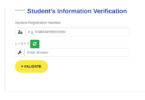
Step 2: Select account type, enter your Student Registration number, and fill in all the required fields under Profile Information. This includes your First Name, Middle Name, and Last Name.
Step 3: Enter Your Credentials
How to login on the UDSM ARIS 3
Step 1: Go direct to official ARIS 3.0 login portal at https://aris3.udsm.ac.tz/. You can find the link on the UDSM website.
Step 2: Enter your username/email.
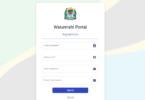
Once you are on the login page, you will see two empty fields for your username/email and password. Enter your username or email address in the appropriate field.
Step 3: Enter your password.
Next, enter your password in the password field. If you have forgotten your password, you can click on the “Forgot password?” link to reset it. Follow the instructions provided to reset your password and regain access to your account.
Step 4: Click on the login button.
After entering your username/email and password, click on the login button.

Leave a Comment