What is the Utumishi ESS Employee Self Services? ESS Utumishi (Employee Self Service)a online platform designed to facilitate self-employment for civil servants in Tanzania.
Developed by the government’s Ministry of Public Service and Good Governance (MPSGG), the system enables public servants to efficiently access and manage their employment information from anywhere with a web portal.
From viewing payslips to updating personal details, ESS Utumishi Employee Self Service enables employees to better control their HR-related tasks.
To meet the new demands of employees and employers, institutions are rapidly adopting digital platforms that simplify administrative processes and allow employees to manage their information more easily.
One such solution that is gaining popularity is Employee Self Service (ESS), namely the ESS Utumishi system in Tanzania. Let’s explore how we can access and use this system and the steps involved in using this innovative tool.
How to register for Utumishi ESS Employee Self Services
If you are a civil servant in Tanzania and have not yet registered with ESS Utumishi, the process is simple.
Step-by-step guide to ESS Utumishi Employee Self Service registration:
- Please visit official website of ESS Utumishi Employee Self Service >>https://ess.utumishi.go.tz
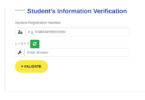
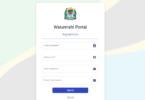
- “If your not registered? Please Click here to register.”
- Complete the registration form with the required information
- Once you have completed the form, submit it and wait for confirmation from PSMGG.

How to Access Utumishi ESS Employee Self Services
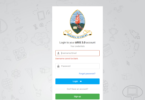
After successful registration, you will be able to access the ESS Utumishi website using your login credentials. See, how;
(i) Log in to the ESS Utumishi website: [ess.utumishi.go.tz] (ess utumishi go tz to login)

Leave a Comment